
To install Nitro Lookbook in your store, please follow the steps below:
1. Open this link Nitro Lookbook & Image Gallery
2. On the app page, click Install app
1. Getting Started
2. App Features
Installation

3. In your Shopify admin, to authorize the use of the app, click Install.

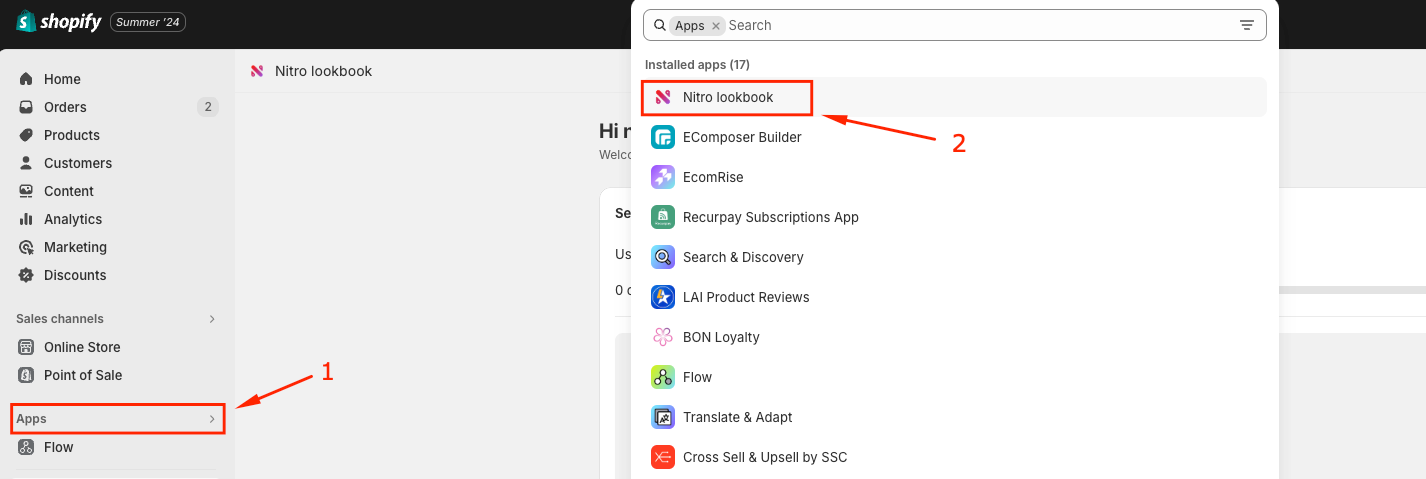
After installing the app, you can click App -> Nitro Lookbook in the Shopify admin sidebar to open the Nitro Lookbook app dashboard.
In the Nitro Lookbook app dashboard, you can easy to find some helpful sections such as:
- Step Guide: You need to follow the steps here to complete your lookbook
- Recent Lookbooks: The 6 nearest updated lookbooks will be shown here
- Help Center: If you have any questions about our app, you can open live chat to get online support or open the app document to find the expected answers


